wildroot.io: today’s ranked feedsWildroot Browser
Wildroot

Meet the Wildroot browser

A lot more
than open tabs.

Your own email address and social accounts. Native Hyper and torrent streaming. Files to read, share, back up and publish.

wildroot://home↗
Your workspace. Example files.
wildroot://mail↗
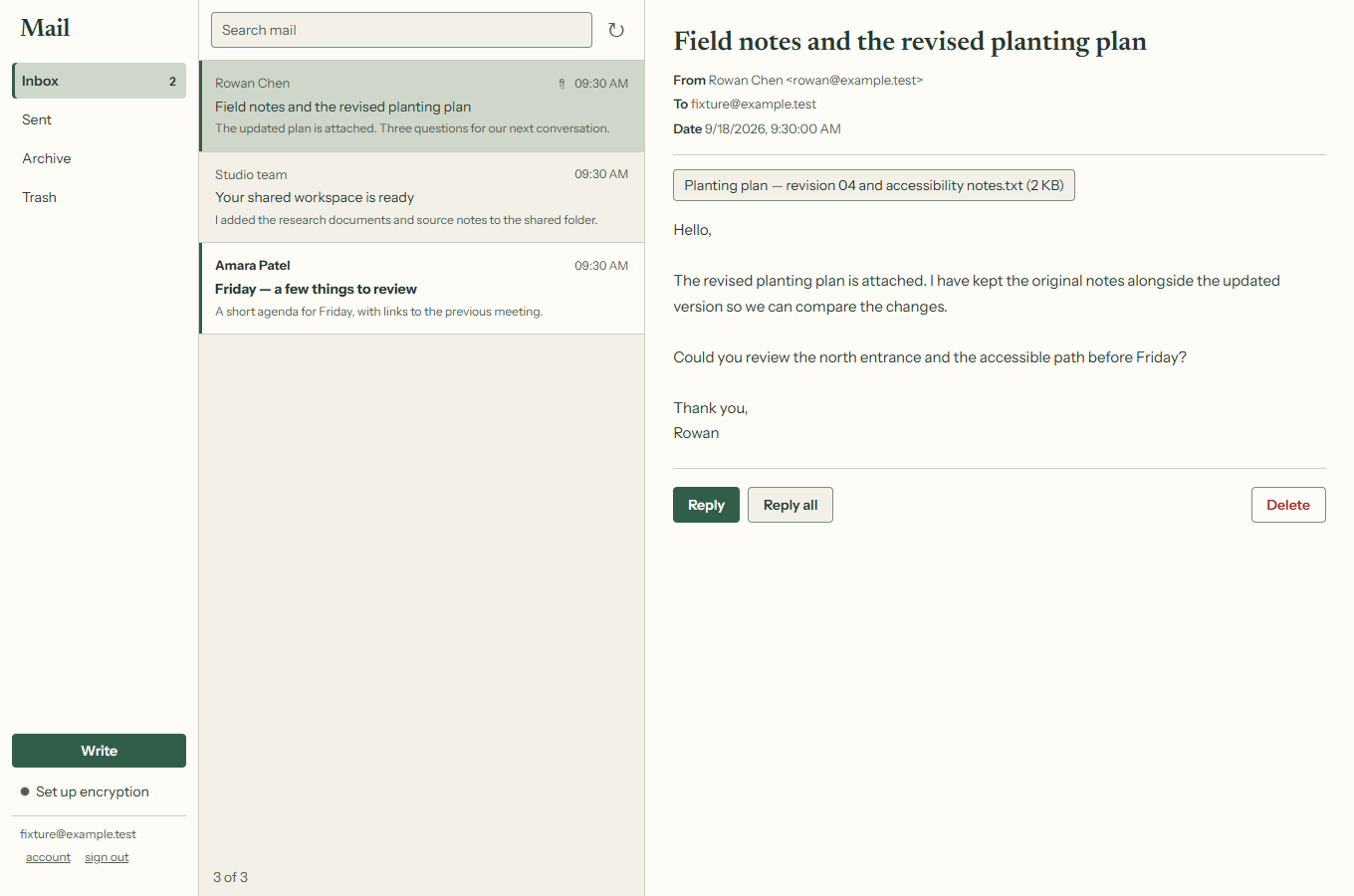
Your mailbox. Example messages.

01 / Home

A workspace
that fits you.

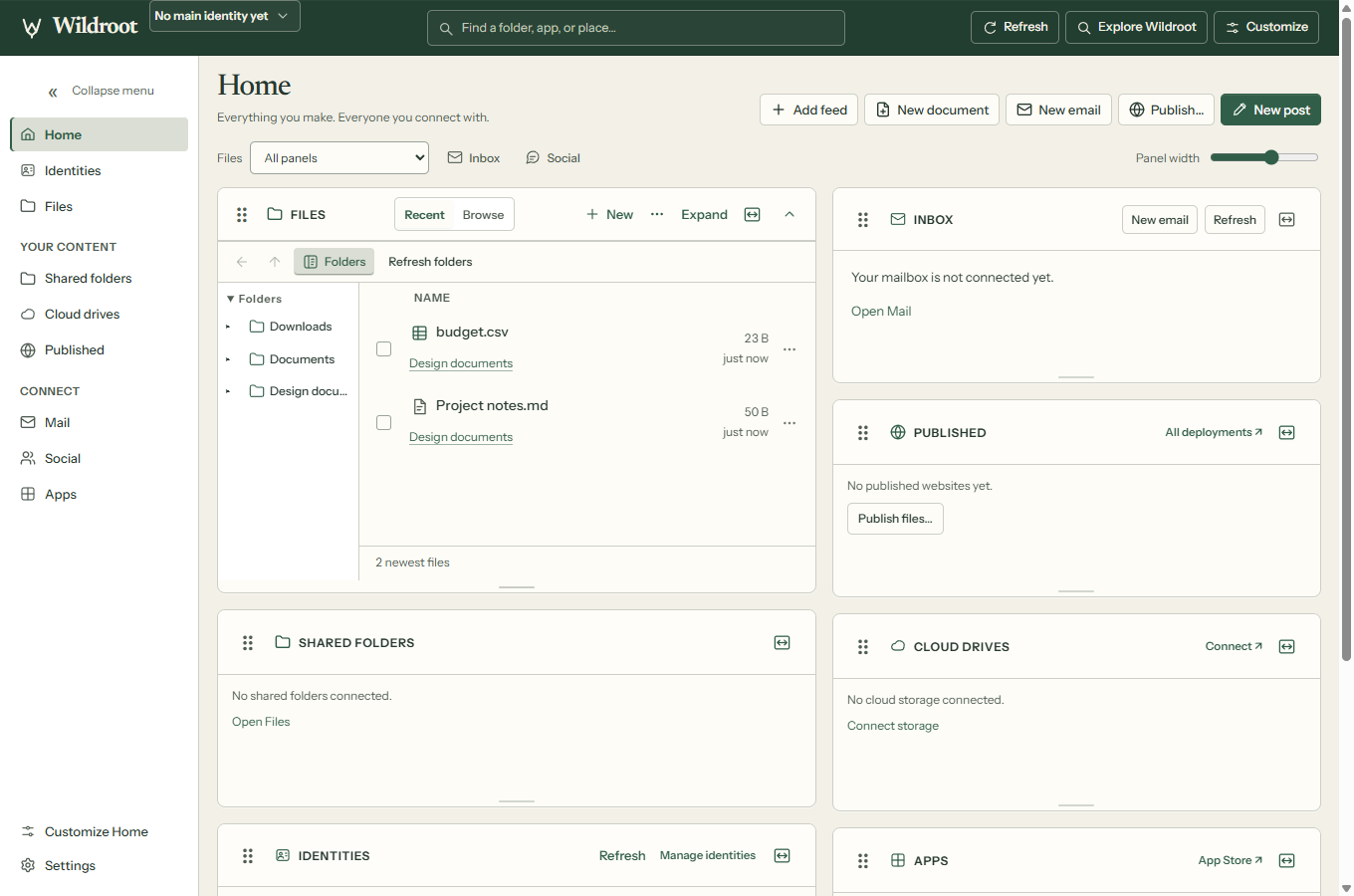
Files, inbox, social feeds and published pages, together on a Home you can arrange. Move and resize panels, choose the folders you want nearby, and keep your layout for next time.

wildroot://home↗
Home with Files, Inbox, Published, Shared folders and Cloud drives. Example workspace.
Rearrange & resizeShow or hide panelsSearch your workspaceOpen full views in tabs

02 / Mail & social accounts included

One name.
So many ways
to reach you.

Your free name comes with an email address, a Bluesky account and a Mastodon account. Read and reply in Mail. Browse, post and join conversations in the built-in social clients.

Social also includes Nostr. Your supported accounts connect through your identity, so they feel like part of the same browser.

One free name. All of these addresses.

river.wildroot
Website
river.wildroot.io
Email
river@wildroot.io
Bluesky
@river.wildroot.io
Mastodon
@river@wildroot.io

An example name. Choose an available one in the browser. Hosted names, mail and social accounts are provided by HNS.ONE.

wildroot://mail↗
A full desktop inbox, with search, attachments and replies. Example messages.

Encryption when you need it. Mail supports PGP encryption and signature checks. Ordinary email is not encrypted end to end by default; encryption depends on the message and correspondent.

Desktop and mobile. The built-in mail client is on desktop. Android includes social clients and email connection settings for using another mail app. Hosted mail and social depend on the services being available.

03–04 / Peer-to-peer, first class

Open a different
kind of address.

Hyper and BitTorrent are built into Wildroot. Explore a drive, open a peer-to-peer page or start a film without reaching for another application.

Native Hyper

A web served
by its people.

Open Hyper drives, browse their folders and load peer-to-peer websites right in a tab. Native Hyper support brings another part of the web within reach.

  • Browse files and websites in Hyper drives
  • Read content directly from available peers
  • Write to drives you own

Drive availability depends on reachable peers. Direct peer connections are restricted in Private mode.

BitTorrent, built in

Press play.
The download can wait.

Open a magnet link or drop in a torrent. Start watching or listening as the file arrives, with a full player and transfer manager already in your browser.

  • Stream, seek and choose media from a torrent
  • Subtitles, keyboard controls and picture-in-picture
  • Pause, resume, manage files and copy magnet links

Playback depends on the file and peers. Torrent peers can see your IP address; Private mode blocks this direct traffic.

05 / Files & built-in readers

Bring the files.
The tools are here.

Browse local folders, shared folders and connected online storage in one workspace. Open documents and media directly, with tools suited to the file in front of you.

Read & review

PDF · Word · Markdown

Tables & numbers

Excel · CSV · ODS

Books & stories

EPUB · CBZ comics

Watch & listen

Images · Audio · Video

Do more with a PDF.

Read, search, highlight, add text, draw, fill forms and add a signature. Save or print without leaving the browser.

Read across formats.

Open Word documents, Excel and OpenDocument spreadsheets, CSV tables, Markdown, EPUB books and CBZ comics. PowerPoint decks open as slide outlines.

Keep media close.

View images and play supported audio and video. Files and the browser’s media tools work alongside your documents and connected folders.

Built in Convert audio and video with Export as…. Choose a format, save a new copy, or extract the audio from a video—all on your computer.

More about supported file formats

PDF, CSV, Markdown, EPUB and CBZ have dedicated readers. Word and spreadsheet previews may differ from the original application. PowerPoint shows slide text, images and notes in an outline, rather than reproducing the slide layout.

Older Word .doc files, ODT, RTF and CBR comics do not yet have working readers. Media support depends on the codecs in the file.

06–07 / Share it. Keep a copy.

Your files can
go further.

Send an evolving folder to someone by name, or keep an encrypted copy in connected storage. Choose what leaves your computer and where it goes.

08 / Publish

Your name.
Your free website.

A portfolio, a project, a place for your ideas. Create a page or choose a folder, then publish it from Wildroot. Your free name includes starter hosting for your website.

Type yourname.wildroot straight into the address bar. Your site opens directly in Wildroot or any browser that supports Handshake.

For everyone else, share yourname.wildroot.io. It reaches the same website in any browser.

  1. Choose your name.
  2. Pick what to publish.
  3. Share your address.
Publish your first website ↗

Starter storage limits apply; larger sites may need a paid plan. Publishing requires connected online storage.

Your corner of the web

Made by you.
Found at your name.

Open directlyyourname.wildrootWildroot & any browser that supports Handshake
Share with anyoneyourname.wildroot.ioWorks in any browser
Example addresses. Choose an available name in Wildroot.

09 / Apps

Good tools.
Close at hand.

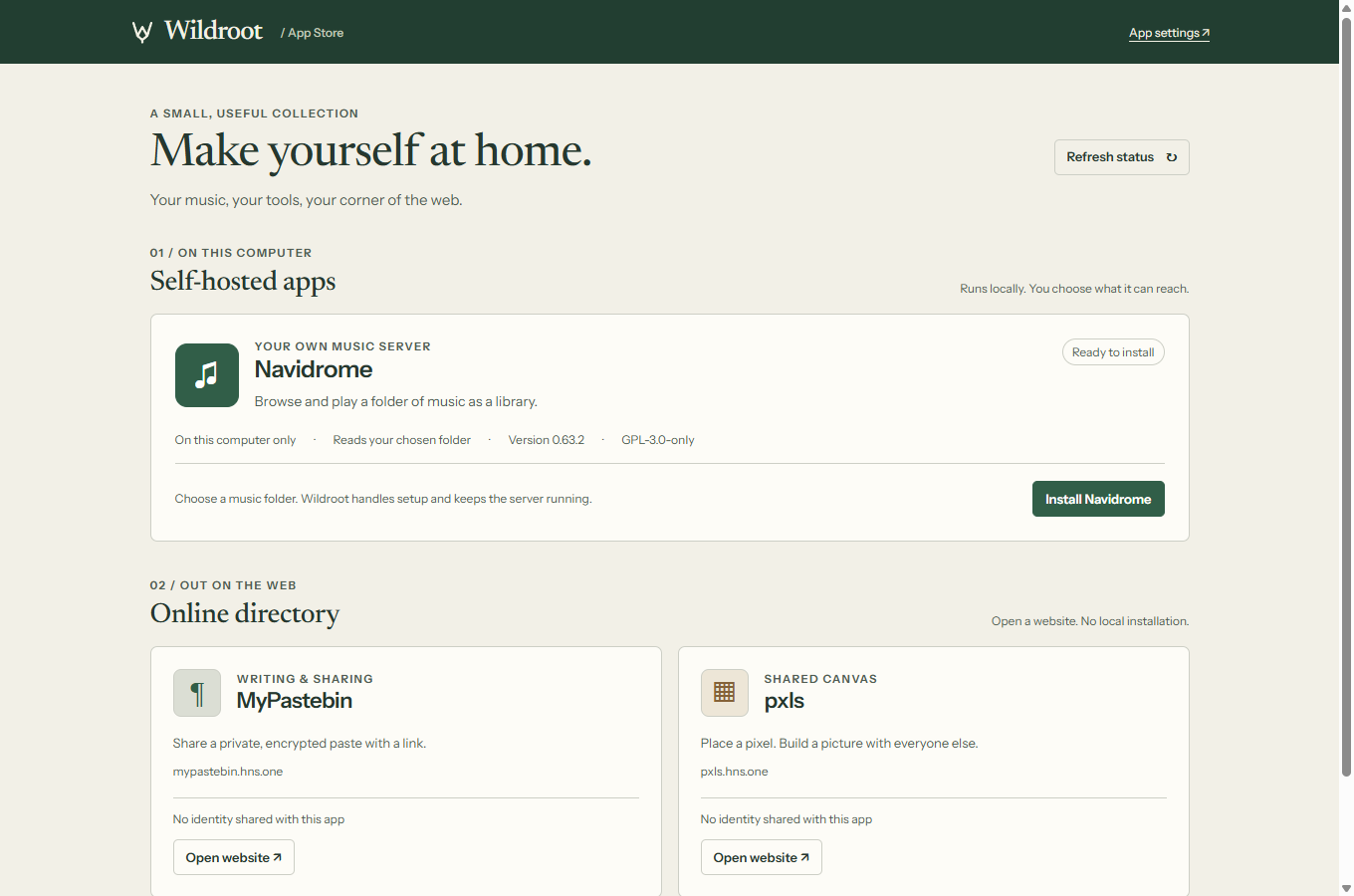
Give a local app access to the folder it needs. Navidrome turns your music collection into a library you can browse and play. Apps also includes an online directory of useful websites.

wildroot://apps↗
Local apps and the online directory. You choose which folder a local app can read.

Manage or remove local app access in the browser. The alpha includes a curated selection, not a general extension store. Apps may have their own service requirements.

10 / A wider web

Familiar websites.
New possibilities.

Chromium powers everyday browsing. Wildroot adds native names, Hyper, IPFS, torrents, Gemini and other addresses. The address-bar panel tells you how a page arrived and what was checked.

See the trust behind a page.

Desktop can check naming proofs locally and compare a site’s certificate with its published pin. Android uses a resolver rather than the desktop’s local proof.

Choose your connection.

Fast is the default. Private uses Tor and stricter lookup rules for supported routes. Some destinations and direct peer networks are unavailable in that mode.

Private mode is not a guarantee of anonymity. Experimental private DNS depends on the relay and resolver not colluding.

All supported address types ↗

Desktop 2.78.51 · 22 September 2026

Fresh in this alpha.

A more flexible workspace and better ways to keep your work online.

  • A flexible Home and a dedicated Apps page.Arrange the workspace around your files, identities and conversations.
  • Clearer, more efficient storage.Small uploads share storage space efficiently. Pending uploads stay visible, and replacing a publication releases what it supersedes.
  • One identity backup file.Your storage key travels with your identity keys. Export the file from Identity settings; there is no recovery phrase.
  • First-run and recovery fixes.Initial vault creation is protected from a race, and restoring a backup preserves the keys for torrent publishing.

Find your place in Wildroot.

Download the alpha